How to Register a Visitor at Your Condo Using an App: A Step-by-Step Guide for Residents
7
October
2026
MERCHANT
Promote your best aircon services on our platform where residents can avail through myCondo.
RESIDENT
Experience better condominium living and facilitate transactions for all your condo-related needs, including buying and selling products and services.
CONDO MANAGEMENT
Condo Managers get intuitive online-based system with exciting new features in administering units.

SHARE
How do you register a visitor at your condo using an app? Open your condo’s app, choose to invite a visitor, enter their name, visit date and time (and car plate if they are driving), then share the pass with your guest. When they arrive, they scan the QR code or their plate is recognised at the barrier, and you get a notification. It takes less than a minute and saves your guest from queueing at the guardhouse.
More Singapore condos are replacing the guardhouse logbook with visitor apps. If your estate has just switched, or you are new to it, this guide walks you through the process and answers the questions residents ask most.
The exact screens differ between apps, but the steps are usually the same. Here is how it typically works in the myCondo app.
What to enter for different visitors
| Visitor type | Pass type | Tips |
|---|---|---|
| Friends or family for dinner | One-time pass for the evening | Add car plates; invite each household separately for a big gathering |
| Overnight guests | Multi-day pass | Set the end date to the day they leave |
| Helper, tutor or caregiver | Recurring pass on set days and times | Add an end date and review every few months |
| Aircon servicing or repair | One-time pass | Enter the company name and expected arrival time |
| Renovation contractor | Contractor pass via the managing agent | Usually issued with the renovation permit, not by residents |
| Food or parcel delivery | Delivery registration or approval on arrival | Follow your estate’s delivery rules |
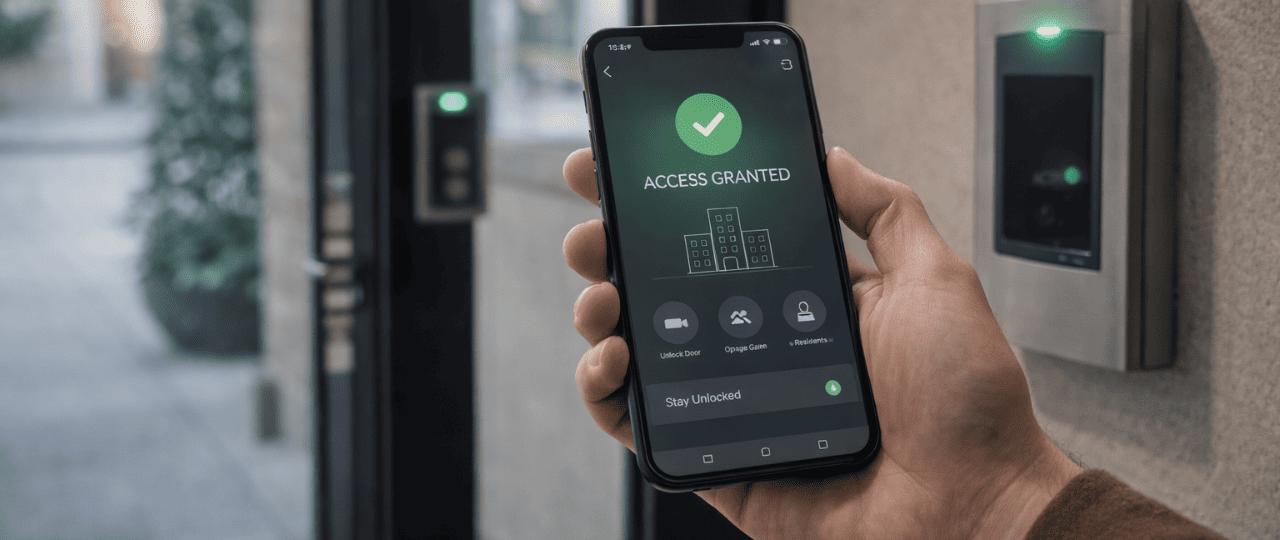
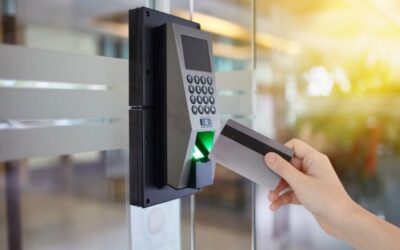
Your guest opens the QR pass on their phone and scans it at the reader at the pedestrian gate or lobby. Many condos use smart door stations such as the Akuvox X915S, which reads QR codes as well as residents’ faces, cards, PINs and Bluetooth credentials. The door opens if the pass is valid for that time and entrance.
If you added the car plate, a licence plate recognition camera at the barrier reads it and lets your guest in. myCondo integrates with LPR cameras from partners such as Dahua Technology and Hikvision, so the plate you register in the app is added to the allowed list for that visit only.
Your guest can go to the guardhouse. The guard can look up the visitor by name in the system and confirm with you if needed.
Sometimes a visitor arrives unannounced. Instead of the guard calling your home phone, you may receive an app notification or call. You can then:
For people who visit regularly, such as a part-time helper, tutor, therapist or caregiver, a recurring pass saves you from inviting them every time. Set the days and times they usually come, and an end date. Review recurring passes every few months and cancel any that are no longer needed. This keeps access tidy and secure.
A visitor app usually collects only the guest’s name, contact number, visit time and car plate. Under the PDPA, the MCST is responsible for protecting this data and should not keep it longer than needed. Guards may check a visitor’s photo ID if needed, but the PDPC’s guidelines generally discourage recording full NRIC numbers for routine visits. If you have questions, ask the managing agent or the MCST’s Data Protection Officer.
Not everyone wants to use an app, and that is fine. Visitors can still register at the guardhouse, and the guard will call or notify you for approval. Family members can also help older residents set up invites. Many estates run help desks in the lobby when a new app is introduced.
Common problems and fixes
| Problem | What to do |
|---|---|
| QR code will not scan | Increase screen brightness, hold the phone steady, or go to the guardhouse |
| Barrier does not open for the car | Check the plate was entered correctly; the guard can verify and open |
| Guest arrived outside the pass time | Extend the pass in the app, or approve them at the gate |
| No arrival notification | Check app notification settings on your phone |
| Cannot log in to the app | Contact the managing agent to reset your account |
myCondo is a Singapore condo management platform with a resident mobile app, a web app for managing agents and the MCST, and guardhouse tools for security officers. It integrates with door stations, LPR cameras, barriers and CCTV from partners including Akuvox, Dahua Technology, Hikvision and Milestone, and is supported by a local team that handles setup, training and after-sales support.
This depends on your condo’s settings. Most apps allow invitations days or weeks ahead.
Yes. For gatherings, you can invite multiple guests, each with their own pass.
Usually not. They receive a pass link or QR code that opens on their phone.
Yes, if the managing agent has registered them as occupants of the unit.
Contact the managing agent to secure your account. You can still approve visitors through the guardhouse in the meantime.
If your condo still uses a logbook, share this guide with your managing agent or council. Our team offers a free visitor management review, with no obligation.
WhatsApp or call: +65 8812 3888
Email: [email protected]
Address: 8 Ubi Road 2, #07-13 Zervex, Singapore 408538
Related reading: QR Code Visitor Passes in Condos: How They Work and Are They Safe?
YOU MIGHT ALSO LIKE
How should a condo prepare its guardhouse for festive season visitors? Start two weeks ahead: remind residents to pre-register guests and car plates, plan visitor parking and overflow, add guard coverage for peak hours, check every gate, barrier and camera, and agree...
Which is best for condo access control: access cards, mobile credentials or face recognition? There is no single winner. Cards are familiar and cheap but easily lent or lost. Mobile credentials are convenient and easy to manage remotely but depend on phones. Face...
How can you prevent parcel theft in a Singapore condo? Stop parcels from sitting unattended. Use parcel lockers or guardhouse holding, register expected deliveries, control who can reach unit doors, and make sure lobby and corridor areas are covered by CCTV linked to...
NEVER MISS OUR ARTICLES
Get our stories delivered from us to you.